
eMoMo Smart Tabletop iTable8LU
$194.99
In stock
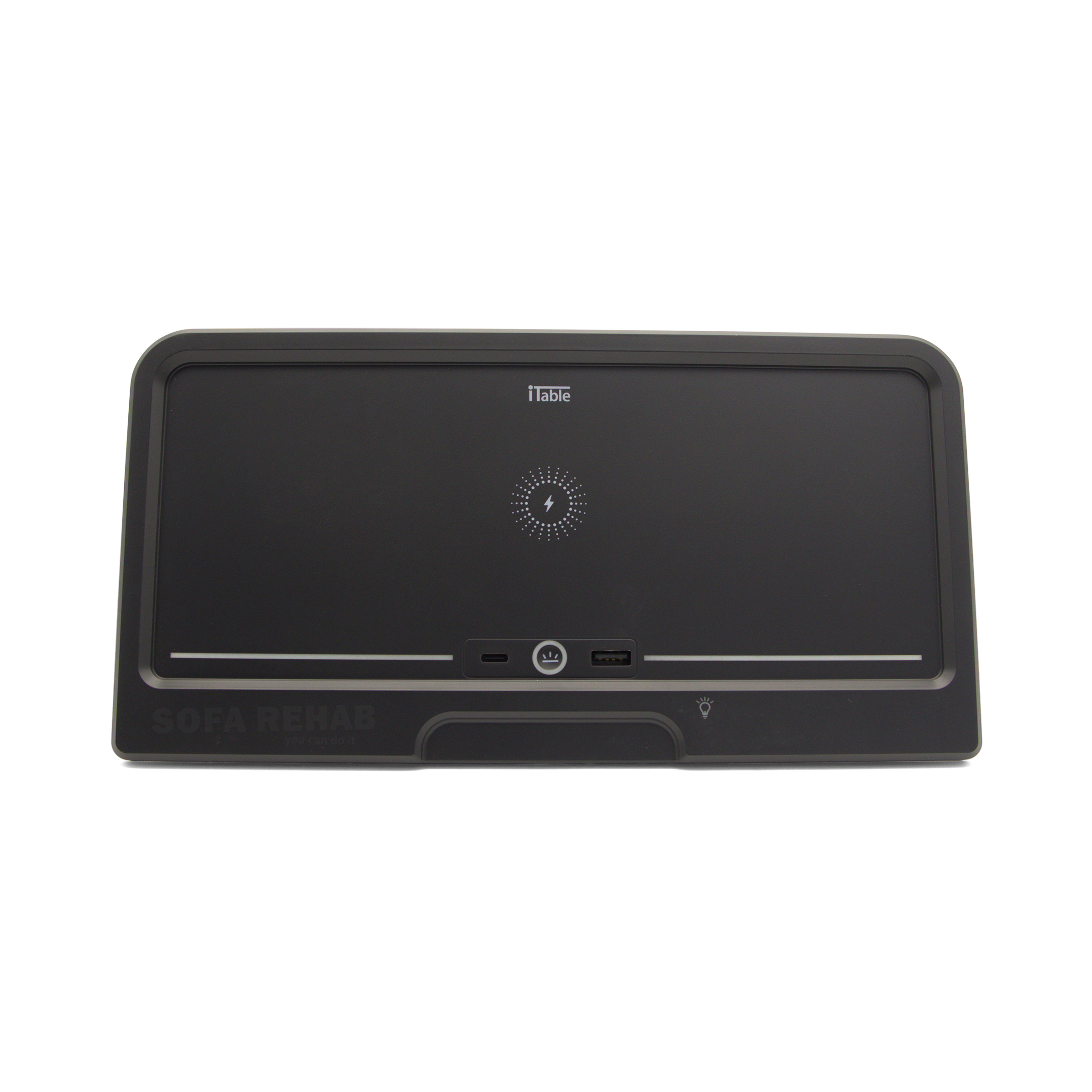
Smart Tabletop eMoMo iTable8LU control panel for electric recliner chairs and theatre lounges, combining 8-button seat and headrest adjustment, Bluetooth speaker functionality, wireless phone charging, USB-A and USB-C charging ports, lighting control and a lock function all in one premium armrest unit. Smart Recliner iTable8LU Control Panel with Charging & Bluetooth. This LU version iTable8 is supplied with a user manual. Compatible models typically have a barcode beginning with SN:ZEIB8LU or similar prefix. Looking for Another iTable Model or Version? We stock a range of Smart Tabletop iTable control panels with different features. Browse our electric recliner switches and panels (click here) or contact us for help confirming the correct replacement. read more
In stock
- Description
- Technical Specifications
- How To Tutorial
- What's in the Box
- Reviews (0)
- FAQs
- Add a review
Description
Smart Tabletop eMoMo iTable8LU Recliner Control Panel with Bluetooth & Wireless Charging
The eMoMo iTable8LU Smart Tabletop is a premium multifunction control panel designed for modern electric recliner chairs, sofas and theatre lounges. This all-in-one unit integrates seat and headrest adjustment controls, Bluetooth audio, wireless phone charging, USB charging ports, lighting control and a panel lock function into a sleek, flush-mounted armrest design.
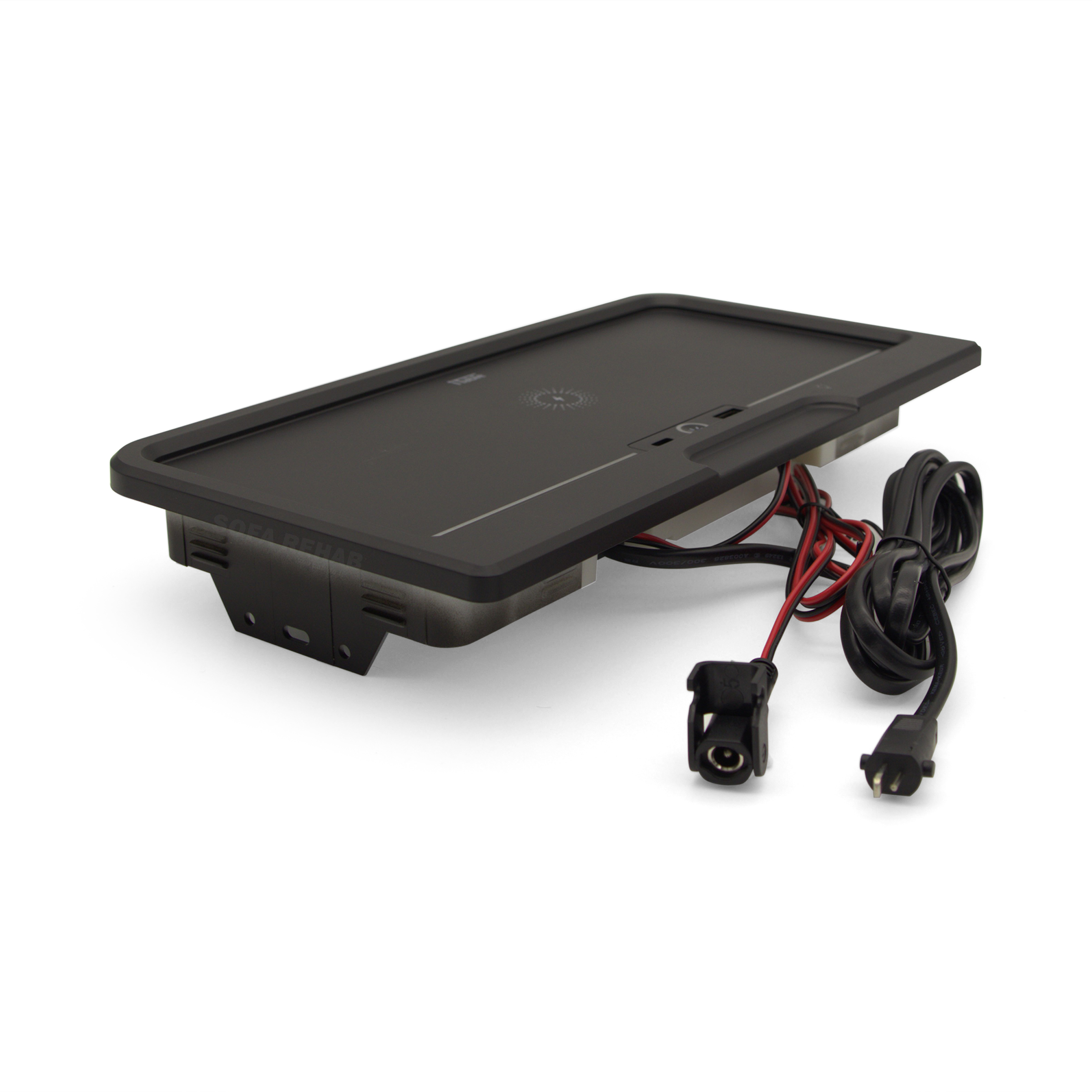
Designed as a direct replacement for compatible eMoMo iTable systems, this unit restores full functionality to your recliner while maintaining the clean, modern look of your furniture. Supplied with mounting brackets, connection leads and a user manual, it provides everything needed for installation and setup.
All-In-One Recliner Control, Charging and Entertainment Hub
The iTable8LU combines multiple premium features into a single control panel:
- 8 Button Recliner Control: Operate seat recline and headrest adjustment functions independently
- Bluetooth Speaker System: Connect your phone to play audio directly through the unit
- Wireless Charging Pad: Conveniently charge compatible smartphones by placing them on the tabletop
- USB Charging Ports: Includes USB-A and USB-C outputs (Max 12W) for wired charging
- Lighting Control: Adjust recliner or ambient lighting with brightness control
- Lock Function: Disable controls to prevent accidental operation
This makes it an ideal replacement for high-end recliners and theatre lounges with integrated smart control systems.
Compatible Replacement for eMoMo iTable Systems
This unit is designed to replace existing eMoMo Smart Tabletop iTable panels with matching specifications.
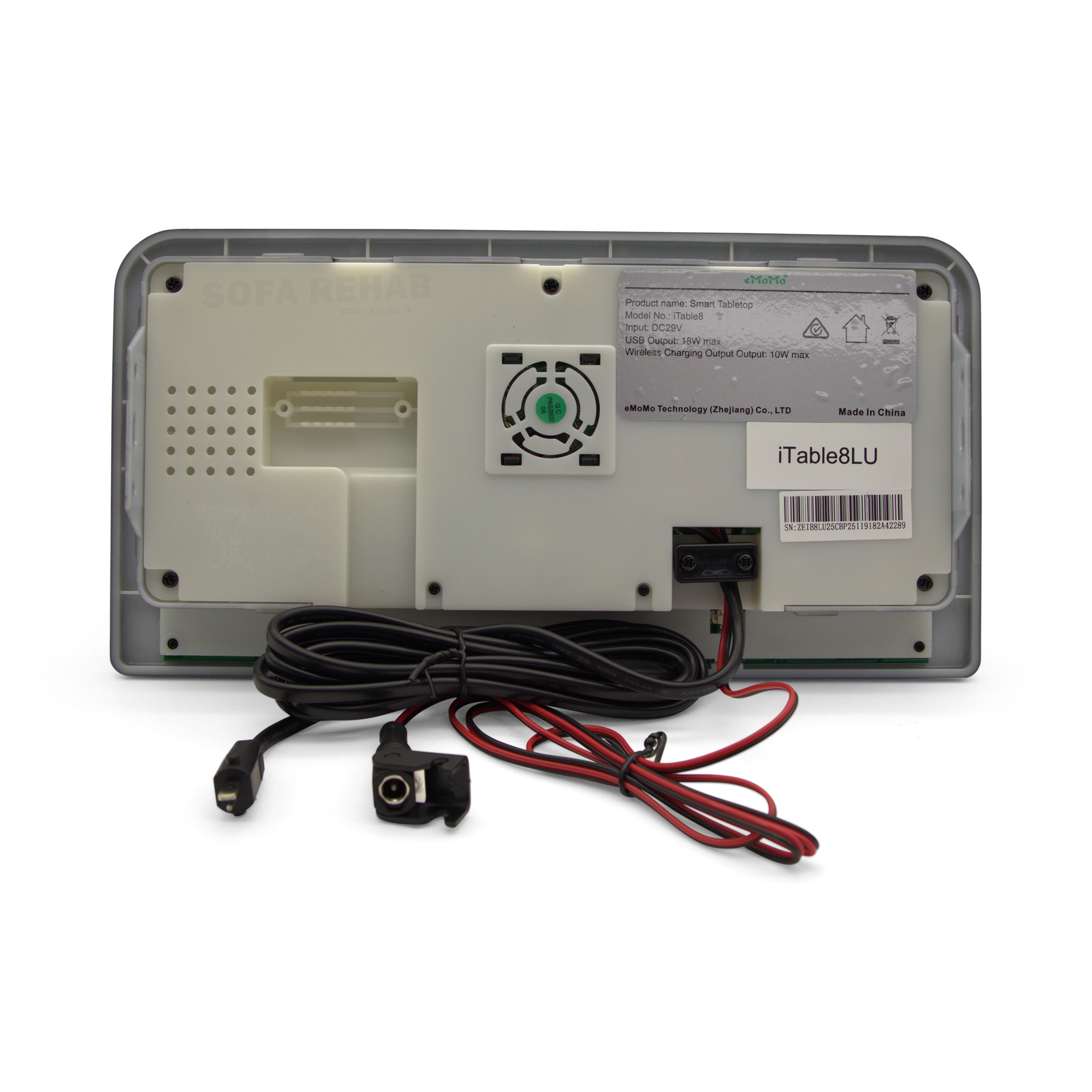
For best compatibility, check the barcode on your existing unit:
- Must begin with SN:ZEIB8LU
- The first two letters after “SN:” may vary but can still be compatible
It connects via:
- Red/Black DC lead (1000mm) with round plug and retaining clasp
- 2 Pin OI male lead (1057mm) for standard recliner connections
If you are unsure whether this is the correct replacement, contact us with a photo of your existing unit or barcode and we will help you confirm.
We Stock Multiple iTable Models and Configurations
Not all iTable control panels are the same. Different models can vary in size, features, button layout and compatibility.
If this iTable8LU is not an exact match for your existing unit, we stock a range of alternative Smart Tabletop models with different configurations. Browse our electric recliner switches and panels (click here) or get in touch with our team for assistance in finding the correct replacement
Simple, DIY-Friendly Installation
Replacing your recliner control panel is easier than you might think. With plug-based connections and included mounting brackets, this unit can be installed with basic tools and minimal experience.
The included user manual provides clear instructions for setup, including Bluetooth pairing and feature operation. Combined with our step-by-step guidance and support, you can confidently complete the replacement yourself.
Skip the cost of a service call, restore your recliner’s full functionality, and enjoy the satisfaction of doing it yourself. If you need help at any stage, our team is here to assist.
We provide detailed step-by-step guides and video tutorials to help you through the process — you can do it yourself and save on costly professional repair services.
Technical Specifications
Technical Specifications
| Product Type | Smart Tabletop multifunction recliner control panel |
|---|---|
| Brand | eMoMo |
| Model Series | iTable8 |
| Version | LU |
| Compatible Barcode Prefix | SN:ZEIB8LU (the first two letters after SN: may differ and still be compatible) |
| Application | Electric recliner chairs, sofas and theatre lounges with a compatible eMoMo iTable system |
| Functions | Seat adjustment, headrest adjustment, Bluetooth audio, wireless charging, USB charging, lighting control, lock function |
| Control Type | 8 button smart tabletop control panel |
| Bluetooth Function | Built in Bluetooth speaker connectivity |
| Wireless Charging | Yes |
| USB Ports | USB-A and USB-C |
| USB Output | Maximum 12W |
| Lighting Control | Yes |
| Lock Function | Yes |
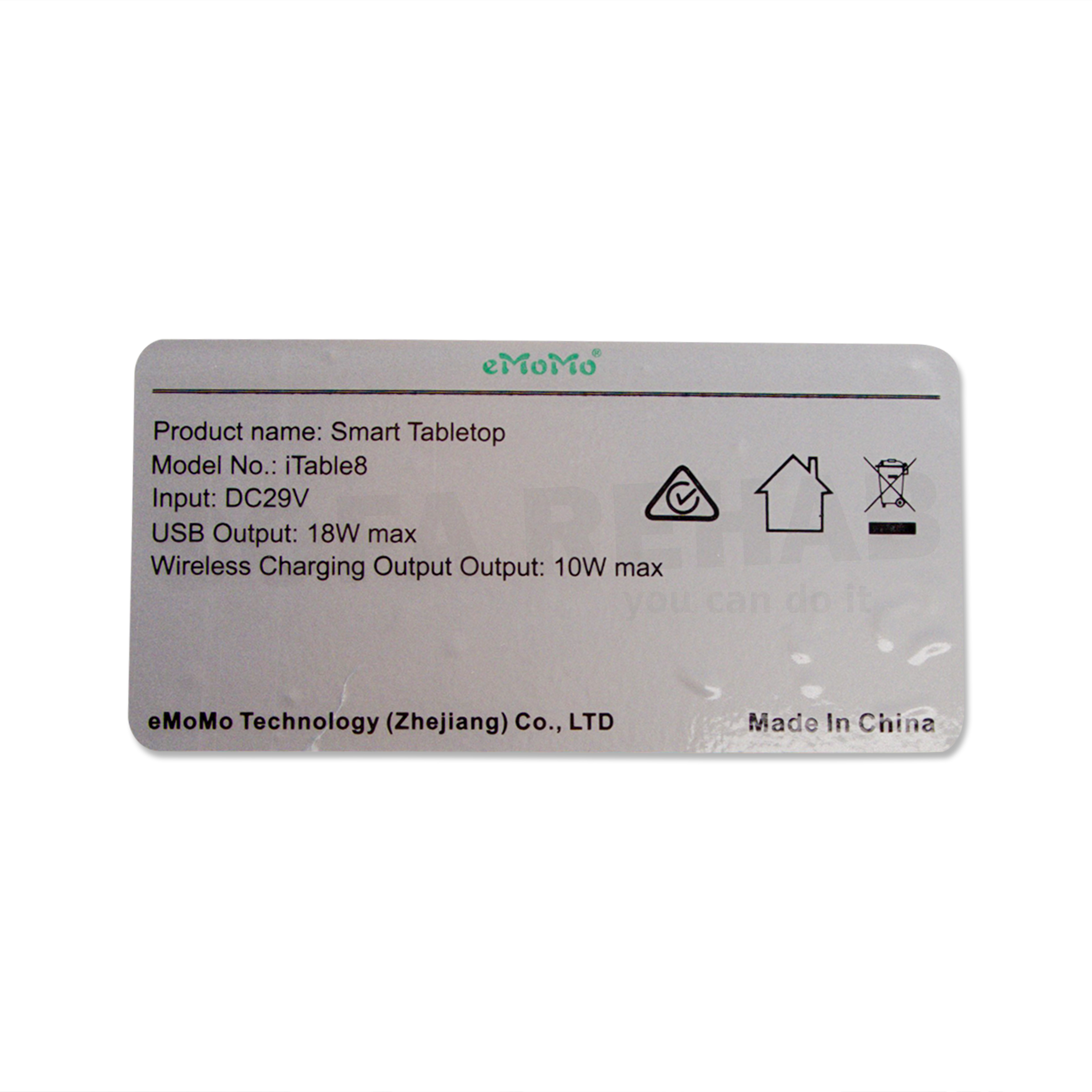
| Input Voltage | DC 29V / 3A |
| Colour | Black |
| Mounting | 2 x mounting brackets on base |
| Unit Size | 275mm wide x 140mm deep x 30mm thick |
| Red/Black DC Lead Length | 1000mm |
| DC Plug Type | Round DC input plug with retaining clasp |
| 2 Pin OI Lead Length | 1057mm |
| 2 Pin OI Plug Type | Male plug |
| Included | iTable8LU Smart Tabletop unit, mounting brackets, red/black DC lead, 2 pin OI lead, user manual |
| Installation Notes | Please check the size of your existing unit, armrest cut-out dimensions, barcode prefix and plug configuration before ordering |
How To Tutorial
How To Tutorial
How To Install Your eMoMo iTable8LU Smart Tabletop Control Panel
Replacing your existing iTable control panel is a straightforward process that most DIY customers can complete with basic tools and a bit of care. Follow the steps below to safely remove your old unit and install your new iTable8LU.
Step 1: Prepare Your Workspace
Before starting, ensure the recliner is switched off and unplugged from the power supply. This is important for your safety and to protect the electronics.
Position the furniture so you have easy access to the armrest area. If needed, gently tilt or move the chair, taking care to practice safe lifting techniques and avoid strain or injury. Recliners can be heavy, so get assistance if required.
Step 2: Take a Reference Photo
Before disconnecting anything, take a clear photo of:
- The existing control panel installed in the armrest
- The wiring connections underneath
This will serve as a helpful reference during installation to ensure all cables are reconnected correctly.
Step 3: Remove the Existing iTable Unit
Access the underside of the armrest and locate the mounting brackets securing the current control panel.
- Unscrew or unclip the mounting brackets
- Gently push the unit upward and remove it from the armrest cut-out
- Carefully disconnect all cables, noting their positions
Avoid pulling on the wires directly. Always grip the connectors when disconnecting.
Step 4: Connect the New iTable8LU
Take your new unit and connect the cables:
- Attach the red/black DC lead using the round plug with retaining clasp
- Connect the 2 pin OI plug to the matching socket in your recliner system
Ensure all connections are secure and properly aligned. Do not force plugs into place.
Step 5: Test Before Final Installation
Before securing the unit, reconnect the power and test all functions:
- Seat recline and return
- Headrest adjustment
- Lighting control
- USB and wireless charging
- Bluetooth pairing and audio
If everything is working correctly, switch the power off again before proceeding.
Step 6: Secure the New Unit
Insert the iTable8LU into the armrest cut-out and align it correctly.
- Reattach the mounting brackets underneath
- Ensure the unit sits flush and secure within the armrest
Once secured, restore power and perform a final test.
DIY Made Easy with Sofa Rehab
With just a screwdriver and a few minutes of your time, you can replace your recliner control panel yourself and avoid the cost of a service call. The included user manual will guide you through Bluetooth setup and feature use.
Take your time, follow the steps, and enjoy the satisfaction of completing the repair yourself. If you need any help at any stage, our support team is always here to assist.
What's in the Box
What's in the Box
What’s Included in the Box
- 1 x eMoMo iTable8LU Smart Tabletop Control Panel (complete unit with attached leads and mounting brackets)
- 1 x User Manual for setup, Bluetooth pairing and feature guidance
- 4 x Screws for securing the iTable8LU to the furniture
The iTable8LU is supplied as a complete unit with all cables and mounting brackets pre-attached, making installation straightforward for compatible recliner systems.
Reviews (0)
Thank you for making an effort to leave a reivew but to protect against spam we only accept reviews from verified owners. Please proceed to login using the same email address you used when ordering the product.
Customer Login
- There are no reviews yet.
FAQs
FAQs
How do I know if this iTable8LU is compatible with my recliner?
The best way to confirm compatibility is by checking the barcode on your existing unit. This model is typically compatible if the barcode begins with SN:ZEIB8LU, although the first two letters after “SN:” may vary. You should also match the size and plug configuration. If unsure, send us a photo and we can help confirm.
Is this a universal replacement for all recliner control panels?
No, this is not a universal replacement. It is designed for specific eMoMo iTable systems. Basic recliners with simple 2 button switches or different control systems will not be compatible with this unit.
Does this come with everything needed for installation?
Yes, the iTable8LU is supplied as a complete unit with cables and mounting brackets pre-attached, along with a user manual to guide you through setup and use. No additional parts are required for compatible systems
Can I install this myself or do I need a technician?
Most customers can install this themselves. The unit uses plug-based connections and can be fitted with basic tools. We recommend taking a reference photo before removal and following the included manual. If you need help, our support team is available/
What should I do if my recliner has a different iTable model?
We stock a range of different iTable models with varying features and configurations. If this version doesn’t match your existing unit, browse our catalogue or contact us with your current model details and we’ll help you find the correct replacement.