
Accessories, Cup Holders, Electric Recliner Spare Parts
eMoMo Mini iTable 2
$199.99
In stock
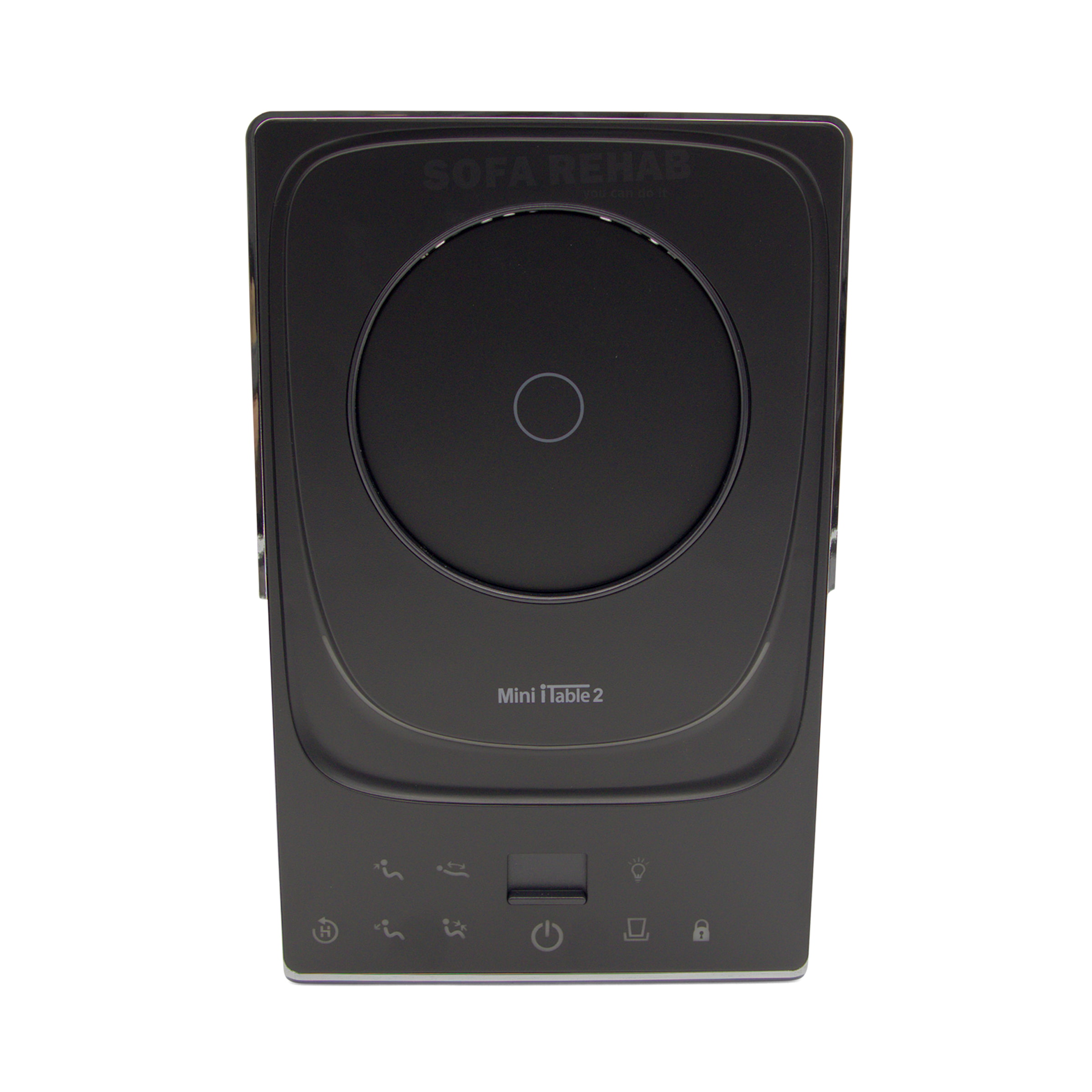
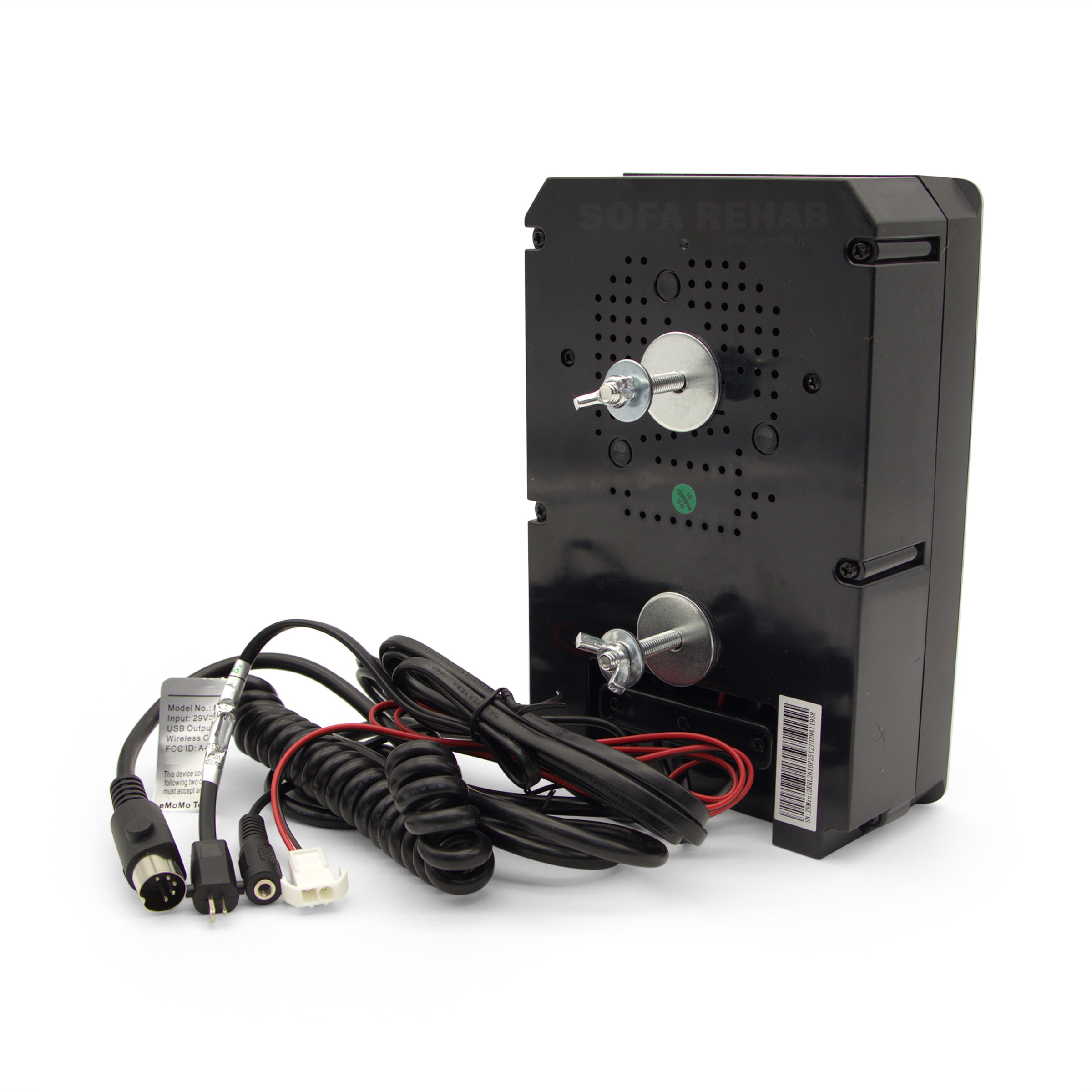
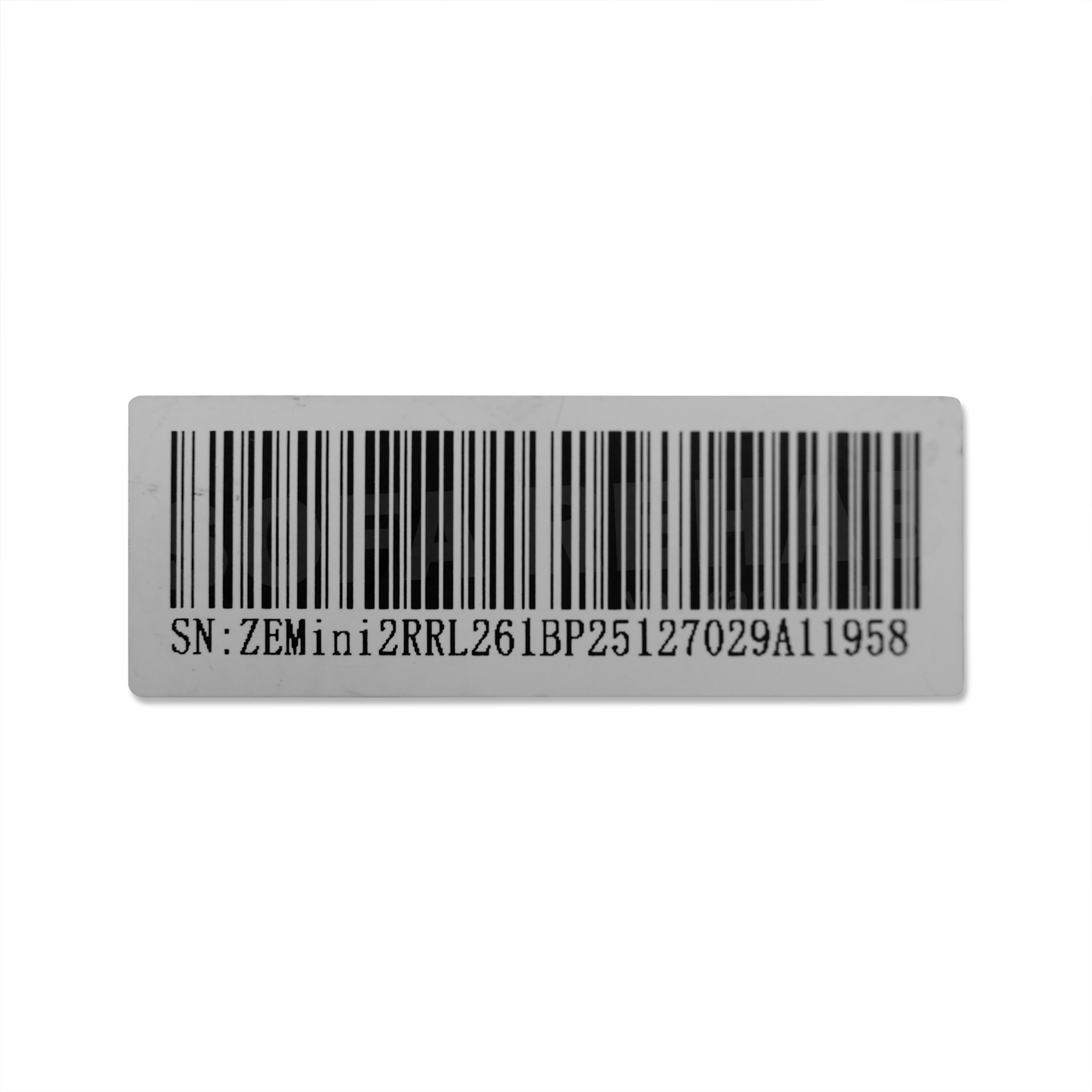
Replacement eMoMo Mini iTable 2 control panel unit for electric recliners, sofas and theatre lounges, compatible with systems using the Mini2RRL identifier. This armrest module combines recliner controls, wireless charging, USB charging, dynamic cup holder function and audio buttons in one compact unit. eMoMo Mini iTable 2 Recliner Control Panel Mini2RRL Compatible. Your existing unit must include "Mini2RRL" within the barcode (e.g. SN:??Mini2RRL). Prefix letters may vary, but Mini2RRL must match. Ensure plugs and cable configuration are the same for compatibility. Looking for Another iTable Model or Version? We stock a range of Smart Tabletop iTable control panels with different features. Browse our electric recliner switches and panels (click here) or contact us for help confirming the correct replacement. read more
In stock
- Description
- Technical Specifications
- How To Tutorial
- What's in the Box
- Reviews (0)
- FAQs
- Add a review
Description
Mini2RRL eMoMo Mini iTable 2 Recliner Control Panel
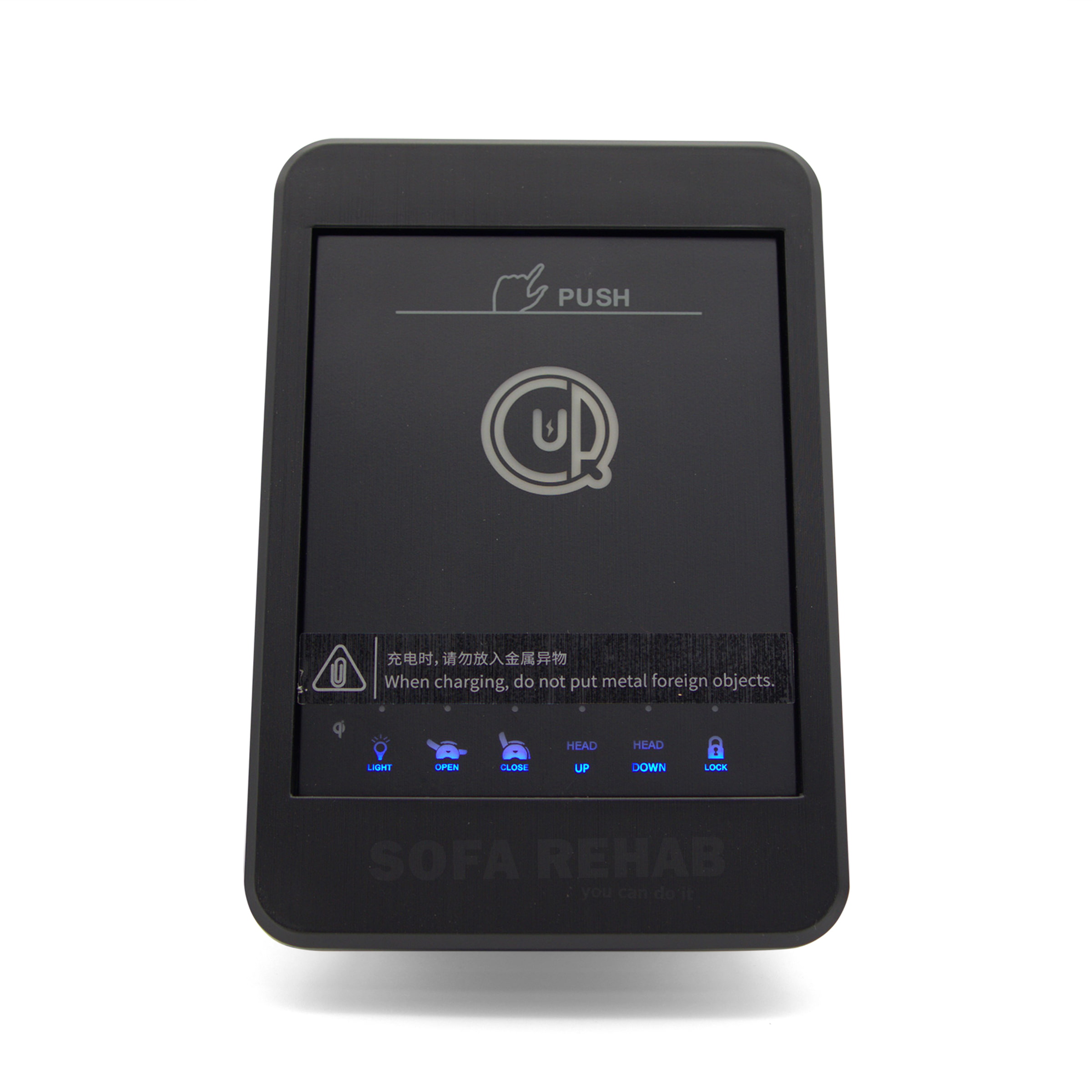
This eMoMo Mini iTable 2 control panel is a replacement armrest-mounted module designed for electric recliner chairs, sofas and theatre lounges using the Mini2RRL system. It combines multiple functions into one compact unit, including recliner controls, wireless phone charging, USB charging, audio control buttons and a motorised cup holder.
If your current unit has stopped working or is unresponsive, replacing it with a matching Mini2RRL control panel is a practical way to restore full functionality to your recliner. Designed with integrated cables and simple mounting points, this unit allows for a straightforward replacement when matched correctly.
Integrated Control Panel with Multiple Functions
This unit acts as the central control interface for your recliner, combining multiple features into one armrest module:
- Recline and close functions for the footrest
- Headrest up and down controls
- Lumbar support adjustment (if your chair supports it)
- Reset function to return the chair to its home position
- Wireless charging pad with LED indicator
- USB charging port for wired devices
- Dynamic motorised cup holder control
- Audio control buttons including play/pause, volume and Bluetooth
Some functions may not be active depending on your recliner’s original configuration, as features such as lumbar or audio rely on your chairs system.
Check Your Barcode – Mini2RRL Must Match
To ensure compatibility, your existing control panel must include Mini2RRL within the barcode (for example: SN:??Mini2RRL). The letters immediately following “SN:” may vary, however Mini2RRL must be present for this unit to be compatible.
This is not a universal replacement. Matching the Mini2RRL identifier, plug types and cable configuration is essential. If you are unsure, contact our team and we can help confirm the correct replacement before ordering.
If this Mini2RRL is not an exact match for your existing unit, we stock a range of alternative iTable models with different configurations. Browse our electric recliner switches and panels (click here) or get in touch with our team for assistance in finding the correct replacement
Simple, DIY-Friendly Installation
Replacing your recliner control panel is easier than you might think. With plug-based connections and included mounting brackets, this unit can be installed with basic tools and minimal experience.
The included user manual provides clear instructions for setup, including Bluetooth pairing and feature operation. Combined with our step-by-step guidance and support, you can confidently complete the replacement yourself.
Skip the cost of a service call, restore your recliner’s full functionality, and enjoy the satisfaction of doing it yourself. If you need help at any stage, our team is here to assist.
We provide detailed step-by-step guides and video tutorials to help you through the process — you can do it yourself and save on costly professional repair services.
Technical Specifications
Technical Specifications
| Technical Specifications | |
|---|---|
| Product Type | Replacement control panel unit for electric recliners, sofas and theatre lounges |
| Brand | eMoMo |
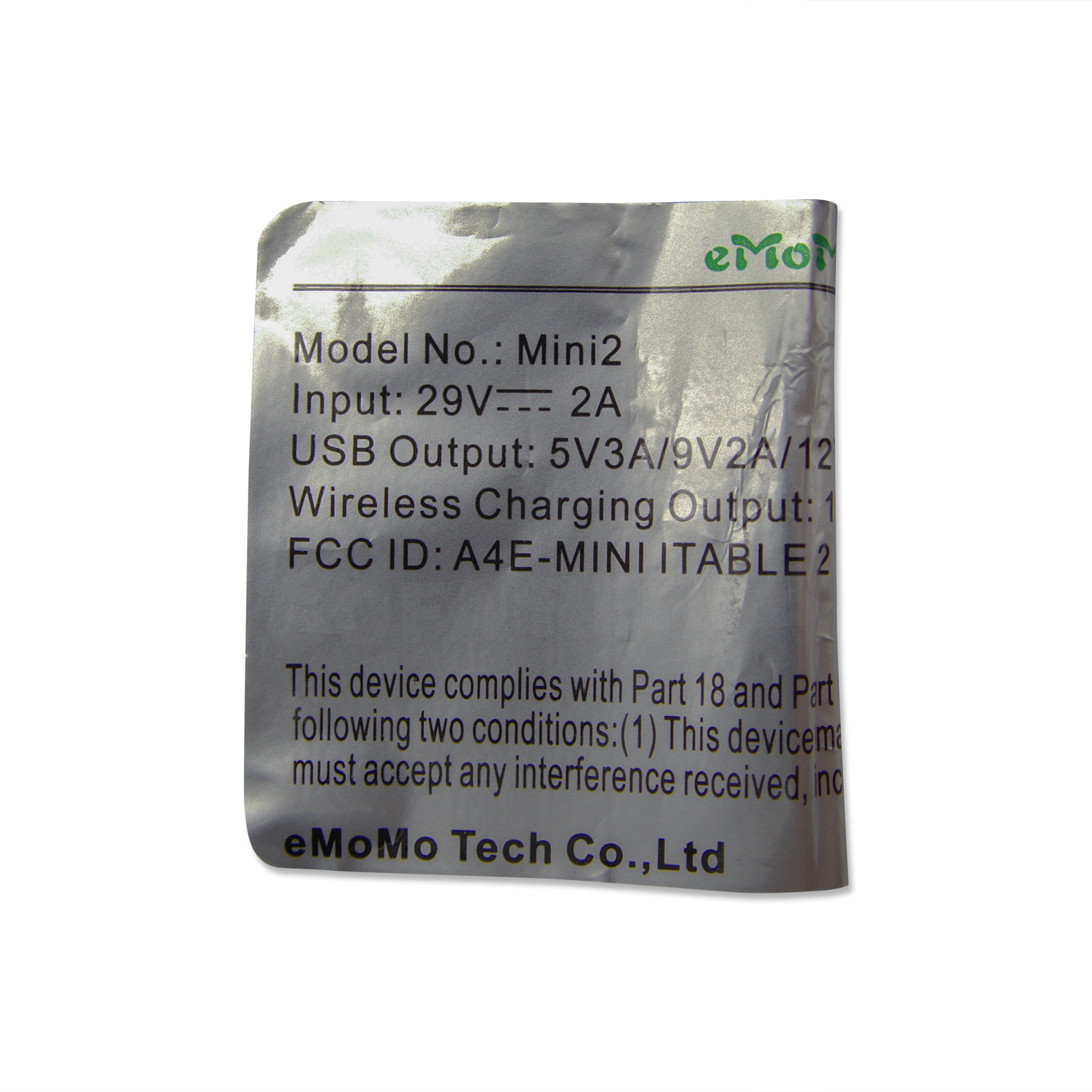
| Model | Mini iTable 2 |
| Compatibility Identifier | Mini2RRL must appear within the barcode code |
| Barcode Format Example | SN:ZEMini2RRL |
| Barcode Compatibility Note | The first two letters after SN: may vary. For compatibility, Mini2RRL must be present in the code. |
| Width | 130mm |
| Length | 200mm |
| Thickness | 65mm |
| Mounting | 2 x fixing threads with washers and wing nuts |
| Cable 1 | Red/black cable with white plug, 1040mm long |
| Cable 2 | Male 2 pin OI plug cable, 1570mm long |
| Cable 3 | Round female DC plug cable, 1000mm long |
| Cable 4 | Part coiled cable with male 5 pin plug, 1300mm long |
| Main Functions | Recline, close, headrest up/down, lumbar up/down, reset, wireless charging, USB charging, audio controls and dynamic cup holder control |
| Wireless Charging Indicator | Flashes 3 times when power connects successfully, lights while charging, turns off when fully charged, may flash if metallic interference is detected |
| Power Function | Touch and hold to power on or off |
How To Tutorial
How To Tutorial
How To Replace Your eMoMo Mini iTable 2 Control Panel
Replacing your Mini iTable 2 control panel is a straightforward DIY repair when you have a matching Mini2RRL unit. Follow the steps below to safely remove your old unit and install the replacement.
Step-by-Step Installation Guide
- Disconnect Power First
Unplug your recliner from the wall power supply before starting. This ensures safe handling of all electrical connections. - Carefully Access the Armrest Area
Depending on your recliner design, you may need to tilt or slightly reposition the chair to access underneath the armrest. Take care when moving the furniture and use safe lifting techniques if assistance is required. - Take a Reference Photo
Before disconnecting anything, take a clear photo of all cable connections. This makes it much easier to reconnect everything correctly later. - Disconnect All Cables
Unplug each cable connected to the control panel, including the 2 pin OI plug, 5 pin plug and any DC connections. Do not pull on the wires, grip the plugs firmly when disconnecting. - Remove the Existing Unit
Undo the two mounting points located underneath the unit by removing the wing nuts and washers. Once removed, lift the old control panel out from the armrest. - Install the New Mini iTable 2 Unit
Position the new unit into the armrest opening and align the threaded mounting posts. Secure it in place using the supplied washers and wing nuts, tightening them by hand until firm. - Reconnect the Cables
Reconnect all cables to the matching plugs, using your reference photo to ensure correct placement. Each plug is designed to fit only its matching connection. - Test Before Final Positioning
Reconnect power and test all functions including recline, headrest, charging and cup holder operation. Once confirmed working, return the recliner to its normal position.
DIY Made Easy with Sofa Rehab
You don’t need specialised tools or prior experience to replace your Mini iTable 2 control panel. With just a careful approach and a few minutes of your time, you can restore your recliner’s full functionality yourself.
If you have any questions during installation or need help confirming compatibility, our team is here to help.
What's in the Box
What's in the Box
What’s Included In The Box
- 1 x eMoMo Mini iTable 2 Control Panel Unit (Mini2RRL compatible)
- 1 x User Manual
- 2 x Washers
- 2 x Wing Nuts
Reviews (0)
Thank you for making an effort to leave a reivew but to protect against spam we only accept reviews from verified owners. Please proceed to login using the same email address you used when ordering the product.
Customer Login
- There are no reviews yet.
FAQs
FAQs
How do I know if this Mini iTable 2 is compatible with my recliner?
Your existing unit must have “Mini2RRL” within the barcode code (e.g. SN:??Mini2RRL). The prefix letters may vary, but Mini2RRL must match. You should also check that the plugs and cable configuration are the same. If unsure, contact us with photos and we’ll help confirm.
Is this a universal replacement control panel?
No, this is not a universal part. It is only compatible with recliner systems that use the Mini2RRL identifier and matching connections. Always confirm compatibility before ordering to avoid issues.
Will all the buttons and features work on my recliner?
Not necessarily. Features such as lumbar support, headrest adjustment and audio controls will only function if your recliner is equipped with those features. The panel will only operate what your chair is designed to support.
Can I install this myself or do I need a technician?
No, this is a DIY-friendly replacement. The unit mounts using two threaded posts with washers and wing nuts, and the cables simply plug into matching connections. We recommend taking a photo before disconnecting your old unit to make installation easier.
What should I do if I’m not sure this is the right part?
Get in touch with us before ordering. Send us photos of your current control panel, barcode and cable connections, and we’ll help you identify the correct replacement to save you time and hassle.