
Mulin MLSK71-A1 Recliner Switch
$45.99
In stock
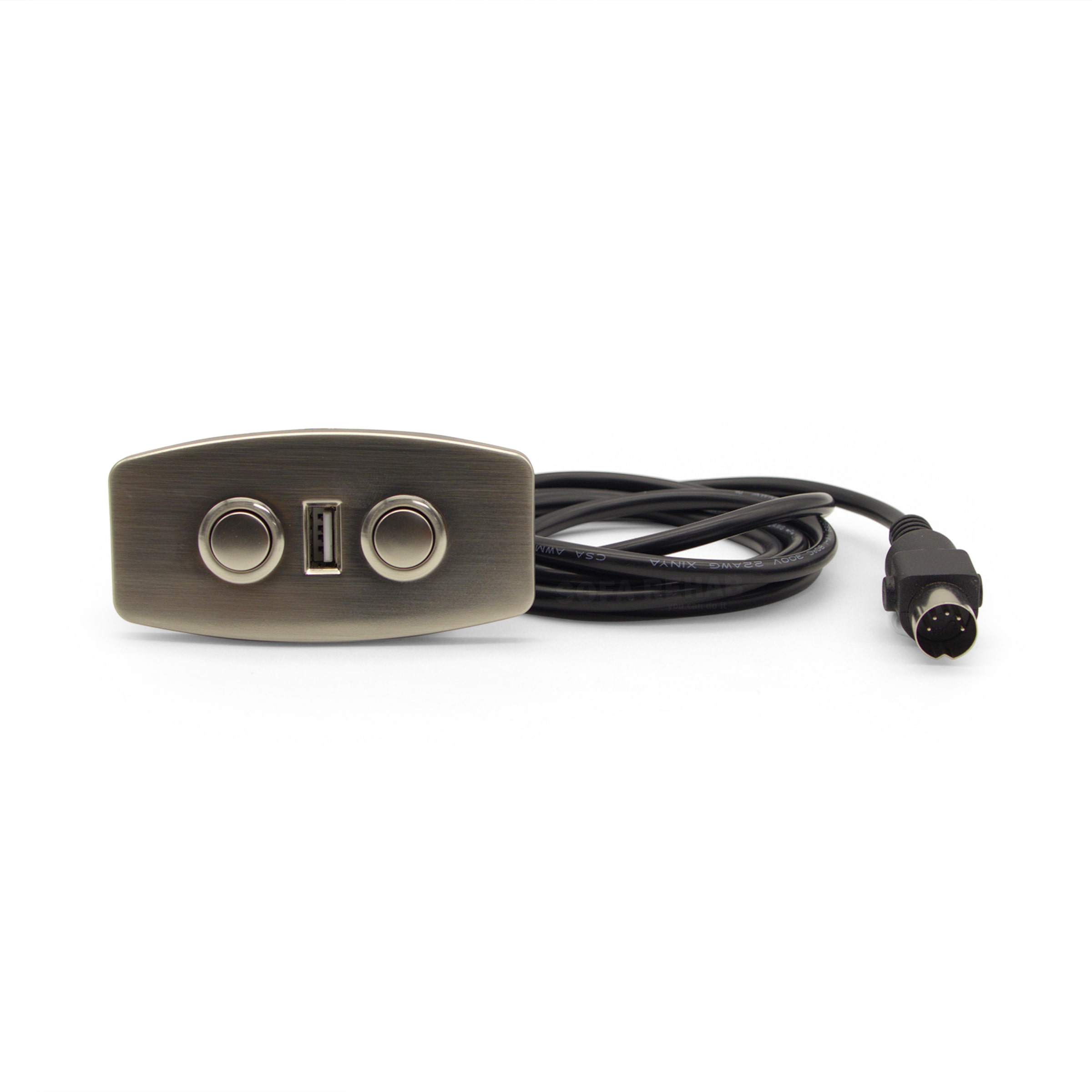
Replacement Mulin MLSK71-A1 electric recliner switch with USB-A charging port. This 2 button switch suits single actuator power recliners, sofas and theatre lounges. Features a brushed chrome fascia, 5 pin DIN plug with retaining clasp lugs, and approximately 1550mm cable length. 2 Button Recliner Switch with USB Port. Suitable for left or right side mounting and compatible with many electric recliners using a 5 pin connection and matching cut-out dimensions. Need Another Recliner Switch Model? We stock replacements for all popular electric recliner & sofa brands and models, see our full range of recliner toggle switches (click here) for a suitable replacement. Ask us if you need help choosing. read more
In stock
- Description
- Technical Specifications
- How to
- Reviews (0)
- FAQs
- Add a review
Description
Replacement Electric Recliner Switch MLSK71-A1 with USB Charging Port
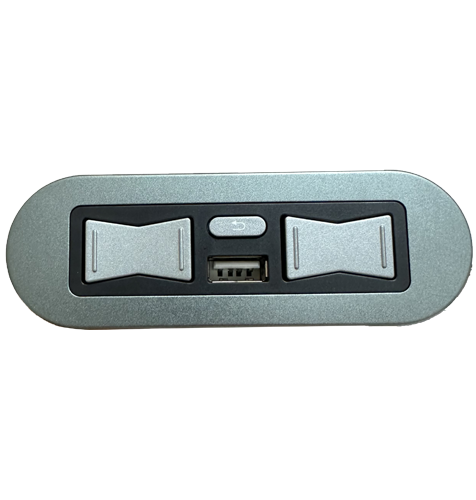
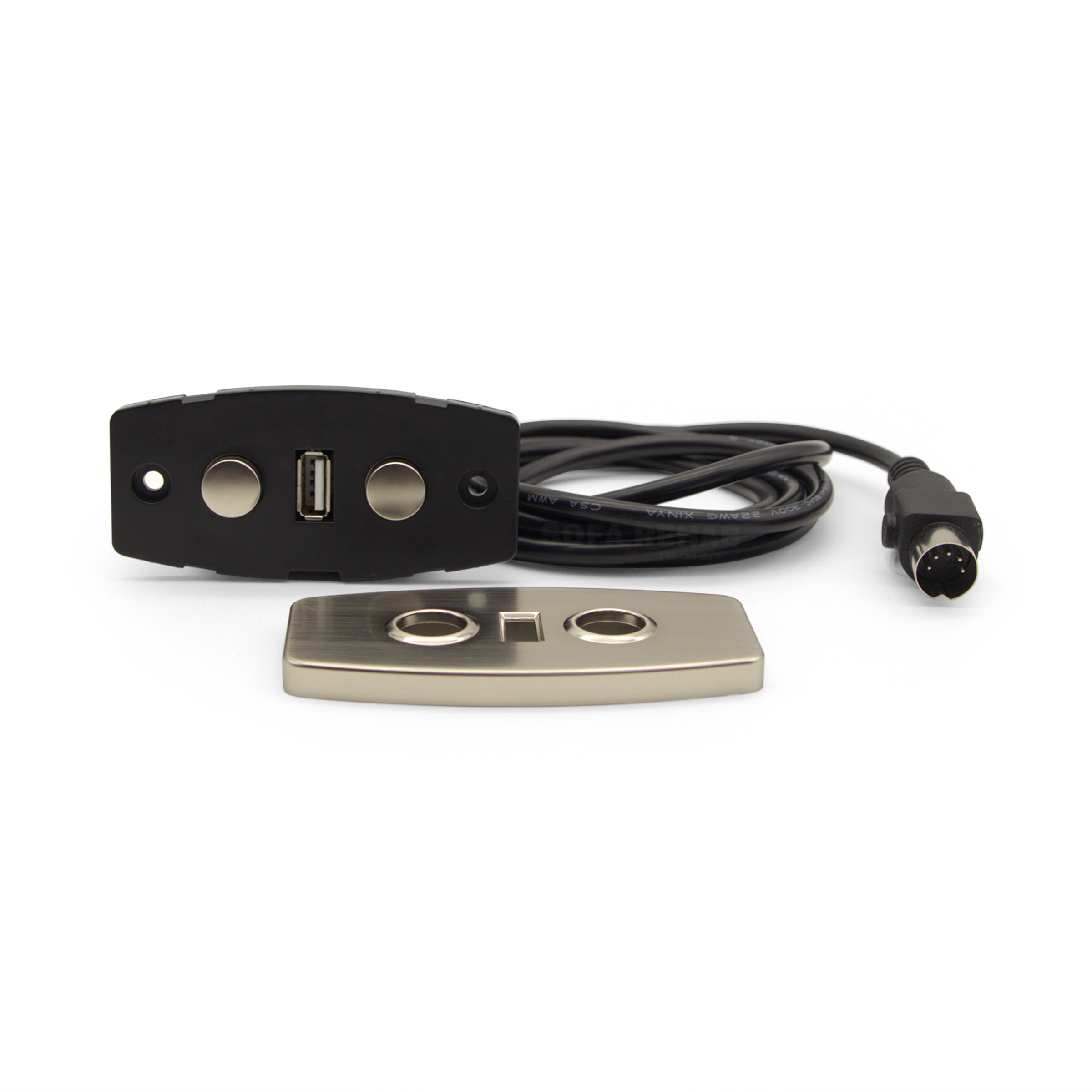
The Mulin Electric MLSK71-A1 is a replacement 2 button recliner switch designed for single actuator electric recliner chairs, sofas and theatre lounges. Featuring a brushed chrome fascia and matching buttons, this switch offers a modern appearance while providing simple and reliable recliner operation.
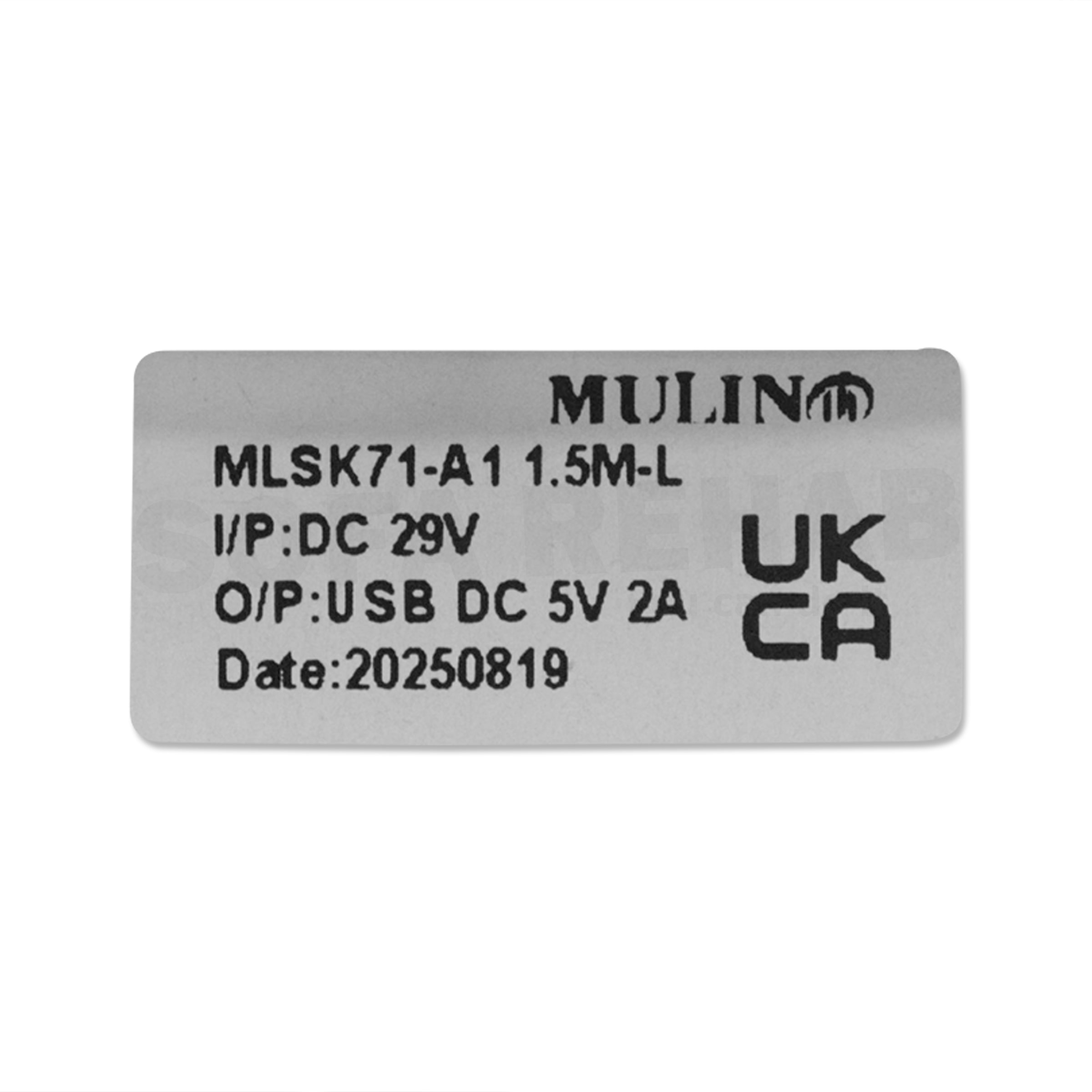
The switch includes an integrated USB-A charging port with DC 5V 2A output, making it convenient for charging phones and other devices while relaxing. Suitable for left or right side installation, this switch connects via a 5 pin male DIN plug with retaining clasp lugs and has an approximate cable length of 1550mm.
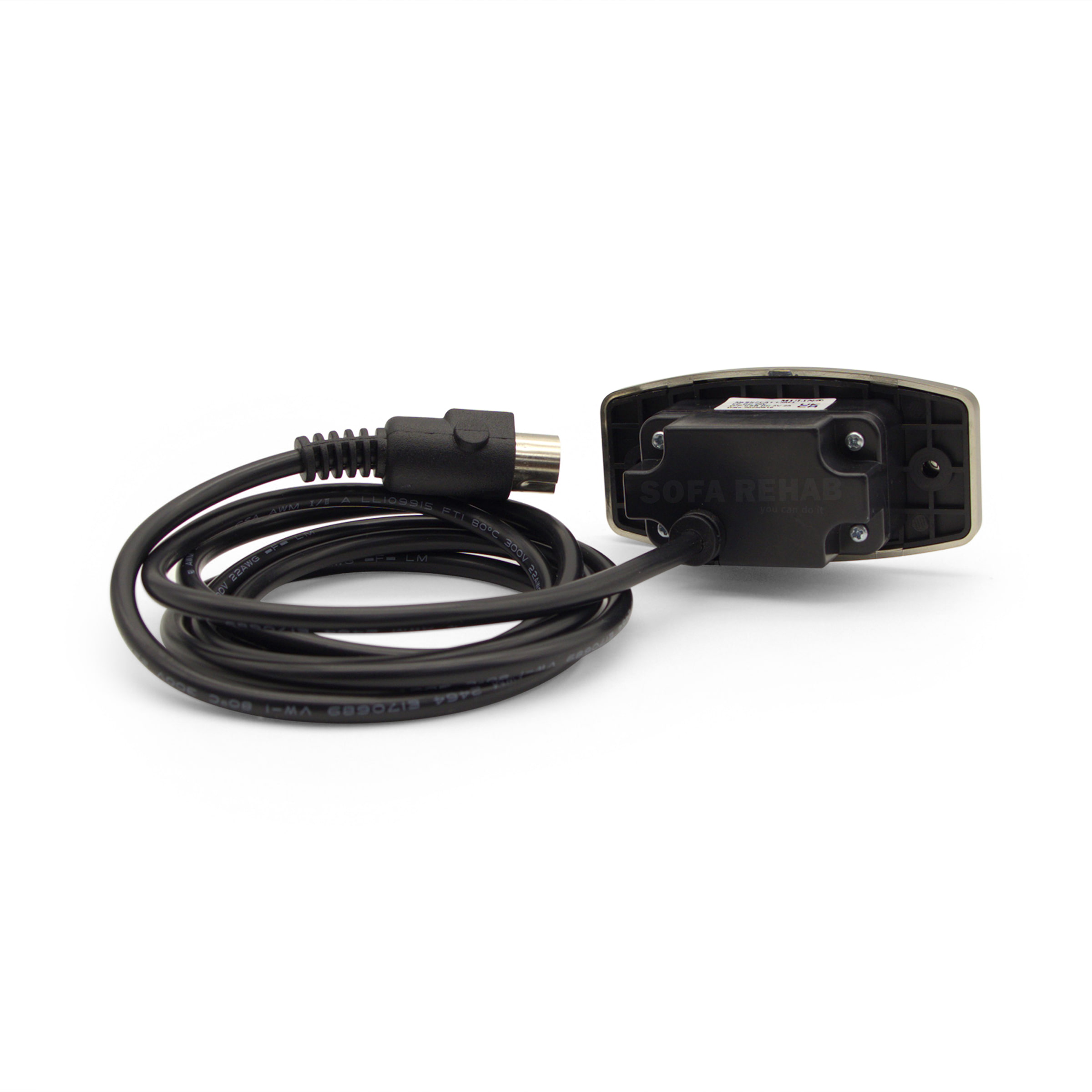
The fascia size is approximately 89mm wide by 44mm high. The required furniture cut-out size is approximately 56mm wide by 32mm high with a minimum internal depth of 38mm.
Switch Dimensions and Cut-Out Size Guide
Please compare the dimensions of your existing recliner switch carefully before ordering to ensure compatibility with your furniture cut-out and available internal space.
Approximate dimensions of this switch are:
- Fascia size: 89mm wide x 44mm high.
- Switch body: 84mm wide x 40mm high x 39mm deep including buttons.
- Required cut-out size: 56mm wide x 32mm high.
- Minimum internal clearance depth required: 38mm.
- Cable length: approximately 1550mm.
This recliner switch can be installed on either the left or right hand side of the recliner furniture arm.
We're Australia's Leading Supplier of Recliner Chair Spare Parts
We’re Australia’s leading supplier of recliner chair spare parts, furniture repair products and DIY repair kits, offering quality replacement parts at affordable prices for both everyday consumers and professional repair technicians. Our focus is helping customers repair their furniture themselves with easy-to-install replacement parts, detailed support and helpful advice that makes DIY repairs simple and cost effective.
Easy DIY Recliner Switch Replacement
Replacing your recliner switch is a quick and easy repair that most people can do themselves with only a screwdriver. Simply remove the old switch, disconnect the 5 pin plug connection and install the replacement switch in its place.
With our DIY friendly spare parts, helpful support and step-by-step guidance, you can repair your recliner yourself, save money and enjoy the satisfaction of fixing it yourself.
Technical Specifications
Technical Specifications
| Product Model | Mulin Electric MLSK71-A1 |
|---|---|
| Product Type | Electric Recliner Chair Switch |
| Actuator Compatibility | Single Actuator Recliners |
| Button Configuration | 2 Button Operation |
| USB Charging Port | USB-A Port |
| USB Output | DC 5V 2A |
| Input Voltage | DC 29V |
| Plug Type | 5 Pin Male DIN Plug with Retaining Clasp Lugs |
| Cable Length | Approximately 1550mm |
| Fascia Dimensions | Approximately 89mm Wide x 44mm High |
| Switch Body Dimensions | Approximately 84mm Wide x 40mm High x 39mm Deep |
| Required Cut-Out Size | Approximately 56mm Wide x 32mm High |
| Minimum Internal Clearance Depth | 38mm |
| Mounting Position | Suitable for Left or Right Side Installation |
| Colour | Brushed Chrome Fascia and Buttons |
| Installation | Requires 2 Mounting Screws (Not Supplied) |
| Application | Electric Recliner Chairs, Sofas and Theatre Lounges |
| Important Note | All dimensions and cable lengths are approximate. |
How to
How to
How To Install The Mulin MLSK71-A1 Recliner Switch
- Disconnect the recliner from power. Turn the recliner off at the wall socket and unplug the power supply before starting any work.
- Move the recliner into a safe working position. Use safe lifting techniques, keep your back straight, bend your knees and ask another person to help if the chair or lounge is heavy. Do not drag the furniture over loose cables.
- Take a photo before removing anything. Take a clear picture of the existing switch, cable path and plug connection so you can refer back to it during installation.
- Locate the switch cable connection. Follow the cable from the existing switch to the recliner wiring and find the 5 pin DIN plug connection.
- Disconnect the old switch. Release the retaining clasp lugs and gently unplug the old switch cable. Do not pull directly on the wires.
- Remove the old switch from the arm. Unscrew the two mounting screws holding the old switch in place, then carefully remove the switch from the furniture arm.
- Check the cut-out size. Confirm the opening is approximately 56mm wide x 32mm high, with at least 38mm internal depth clearance for the replacement switch body.
- Fit the new switch into position. Place the new MLSK71-A1 switch into the cut-out, making sure the brushed chrome fascia sits neatly against the furniture arm.
- Secure the switch with screws. Use two suitable mounting screws to secure the switch in place. Screws are not supplied, so reuse your original screws if suitable or source replacements that suit your furniture.
- Reconnect the cable plug. Connect the 5 pin male DIN plug to the matching recliner socket and ensure the retaining clasp lugs are properly engaged.
- Check the cable position. Make sure the cable is not pinched, stretched, twisted or positioned near moving recliner parts.
- Reconnect power and test operation. Plug the recliner back into power and test the open and close buttons. Also test the USB-A charging port with a suitable USB cable and device.
Important: If the recliner does not operate correctly after installation, disconnect the power and check the plug connection, cable path and switch orientation. Contact us if you need help identifying the issue.
Reviews (0)
Thank you for making an effort to leave a reivew but to protect against spam we only accept reviews from verified owners. Please proceed to login using the same email address you used when ordering the product.
Customer Login
- There are no reviews yet.
FAQs
FAQs
Will this recliner switch fit my chair or sofa?
This switch is suitable for many electric recliner chairs, sofas and theatre lounges that use a 5 pin DIN plug connection and matching cut-out dimensions. Please compare your existing switch measurements, plug type and button layout carefully before ordering.
Can this switch be installed on either side of the recliner?
Yes. The Mulin MLSK71-A1 switch is suitable for both left and right side installation, making it a flexible replacement option for many recliner furniture layouts.
Does the USB port charge phones and tablets?
Yes. The integrated USB-A charging port has a DC 5V 2A output, suitable for charging many phones and USB powered devices while relaxing in your recliner.
Is this switch difficult to replace?
No. This is generally a simple DIY replacement that only requires basic tools such as a screwdriver. Most people can replace the switch within a few minutes by unplugging the old switch and connecting the new one.
Are mounting screws included with the switch?
No. Mounting screws are not supplied with this switch. In most cases, customers reuse the original screws from their existing recliner switch.